I have a PS script which was working fine. In it, there is a section which runs Robocopy to re-locate some install files
I have test-path in place to confirm the operator entered a valid path for the source; it looks like this:
Today, the script fails to copy because Test-Path always returns False. Here is screen shot of what I tested in PS as Administrator
Tried to just validate the path, without testing for an executable, and get the same results.
Tried setting the source to the server which has the actual files we source from and various folders. Always returns False.
I have no idea why this no-longer works. It was working just fine yesterday.
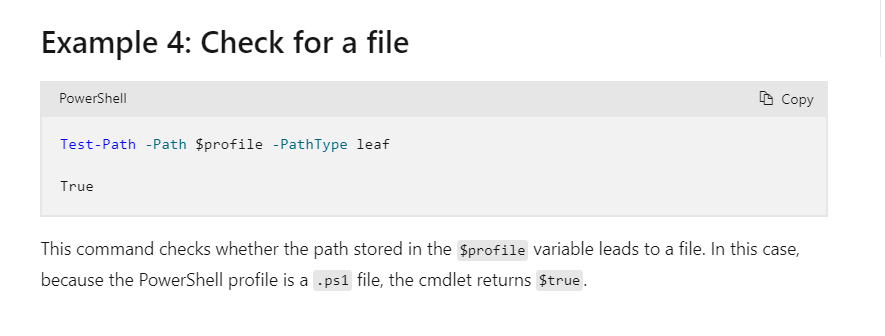
I would use the -PathType Container not leaf. I’m not sure how it ever worked for you.
-PathType
Specifies the type of the final element in the path. This cmdlet returns $true if the element is of the specified type and $false if it's not.

The acceptable values for this parameter are:

Container - An element that contains other elements, such as a directory or registry key.
Leaf - An element that doesn't contain other elements, such as a file.
Any - Either a container or a leaf.
Well today I learned you could use Test-Path against the contents of a directory?
I’ve always used it in a more granular way to check if an individual file exists. But, when checking the help info I noticed this comment that caught my eye:
-include string
Test only the specified items from the Path. e.g. “May*”
this only works when the path includes a wildcard character.
If I’m reading that right they’re saying that the -Include *.exe part would only work if the original path argument was provided with a wildcard.
That doesn’t explain why your code worked once upon a time and then stopped. Testing against a folder really quick. I only spotted one tiff file in there so I used it as a test.
I thought maybe the trailing slash would make a difference, but it didn’t. But including the wildcard on the path did.
Hmm. so above your $RoboSrc was set to C:\Utils. In one of your examples its set to C:\Utils\*.exe. I think this was part of your issue more than anytihng else. I see you commented on this later.
Typically you’d throw just an asterisk at the end of the path if you want to search in it and find anything so for example, if I wanted to see if an EXE exists in a directory I’d probably do it this way:
#EXE file does exist in this dir
Path = "C:\Temp\*"
Test-Path -Path $Path -Include *.exe
#OUTPUTS true
I think your script use to work probably because the $RoboSrc had \* at the end. I’m not sure where the confusion started with using container over leaf, but it seems like your intention is to confirm some an exe file exists in the dir, not the that the actual path existed. I wonder that part of your script changed unintentionally which broke it, as one of youre early examples did not include the \*
The mystery endures.
My script builds a bunch of stuff in Windows Files, DFS Replication, GPO, Active Directory Groups, DFS Namespace, DFS Targets, Windows shares…
Robocopy happens at the very end, and the $RoboSrc variable is created based on a path entered by the operator at the very beginning.
The script never appended \ * to the variable…until now, in order to make it work again.
The \ * in my screenshot examples was from testing at the PS prompt to find out what syntax would work.
You glean my intent correctly - I merely want to confirm there is an executable in the path provided by the operator.
The use of Leaf instead of Container came from Microsoft documentation I referenced while learning Powershell and how to make the stuff mentioned above with it: