I am trying to search for text in files and dynamically return the lines in the files based on the location of the found text. This is how I am finding the files with the string in it:
I am having a really hard time figuring out the rest. Here is the logic and an example…
Search a folder and all subdirectories for
Certain file name (i.e *.log)
Certain text in the in scope files (i.e locals)
For this eaxmple the directory is c:\bin\day\logs
Every time the text locals is found in *.log files , search for the first occurance of { (open brace) starting on the line where locals was found.
Once { is found then find the closing } bracket. (Note: There could be other { and } encountered before the } you are looking for is found)
Once the proper } is found.
a. Output to a text file
1. File name
2. The text searched for
3. The line where the first { was found
4. All line inbetween the { and }
5. The line where the } (closing brace) was found
Example:
Folder : c:\bin\day\logs
Files found : downtime.log and uptime.log
Files are in c:\bin\day\logs
Search starts in c:\bin
Maybe we can find a solution togehter. The structure of the search pattern you’re looking for seems pretty regular. Sounds for me like “find the word “local” and the following 9 lines” …
This could be achieved with Select-String and the parameter -Context. Try to run the following line of code for one of your target files to see what I mean:
Now you have all you wanted - The file name, the path, the line number, the actual match and the following 9 lines. Is it that what you was looking for?
Of course you can provide Select-String a path with a wildcard in it to catch all files of a certain type in one directory. To search even subdirectories you would need to use a loop because Select-String does not recurse.
Regardless of all that could you please format your code or sample data as code using the preformatted text button ( </> ) next time. That’l make it much easier to copy your code and sample data and to play around with it to be able to reproduce your challenge.
Thanks for the help you are giving me some ideas. The problem is not getting 9 lines of code, it is determining the n lines of code.
For example
Find locals on line 40 ( locals has 6 characters), so start to search for { on line forty position 7
not found on 40 but found on 41. Continue searching for }. The next } is on line 46 but that belongs to line 45 {. This keeps going until line 50 where the closing brace is found. So lines 41 - 50 would be outputted
40 locals
41 {
42   location_down = {
43       {country = $(current)
44         {state = $(state)
45           {city = $(city)
46            }
47          }
48        }
49     }
50  }


Taking it to the extreme... if all of this was put on 1 line, 1 like would be returned becaue the opening and closing braces are on the same line

locals {location_down = { {country = $(current) {state = $(state {city = $(city) } } } } }
I must say this is confusing with some contradictions. First, when you post the sample files, you show the text with no indentation. However your last reply shows indentation. Your sample files also only contain the exact text your after, I’ll assume this file has other text you’re trying to pull this out of?
Next, when you say “The line where the first { was found” it really makes me think you want the line number where it was found. It appears Olaf may have thought the same thing. However, your sample output text file just shows the file name followed by the entire pattern you’re trying to match. Perhaps we can rephrase bullet point 4 to the following.
4. Output the file name followed by the entire matched pattern, all text/lines from the word locals to the appropriate closing curly brace.
Also, your original post (please format code as code with the </> button) had a missing closing curly brace. You did correct this in your last reply.
Ok, so I added some other text to the sample files for this demonstration.
Push-Location $env:temp

Set-Content -Path .\uptime.log -Value @'

some random text
some random textsome random text
some random textsome random textsome random text

locals
{
location_up = {
{country = $(current)
{state = $(state)
{city = $(city)
}
}
}
}
}
some random text
some random textsome random text
some random textsome random textsome random text
'@

Set-Content -Path .\downtime.log -Value @'
some random text
some random textsome random text
some random textsome random textsome random text

locals
{
  location_down = {
    {country = $(current)
      {state = $(state)
        {city = $(city)
        }
      }
    }
  }
}


some random text
some random textsome random text
some random textsome random textsome random text
locals
{
  location_down = {
    {country = $(current)
      {state = $(state)
        {city = $(city)
        }
      }
    }
  }
}
some random text
some random textsome random text
some random textsome random textsome random text
'@
And now that I have a couple of sample files, here is one possible way to achieve (what I believe is) your goal.
Now if we could always depend on the final closing curly brace to be at the beginning of a line and the rest will have one or more spaces before them, we could use something as simple as this.
Thank you very much. Sorry for not formatting the first post. I just joined and it was my first post. I was asked to format it in my reply. Sorry for the confusion. It is always easy to understand something if it is yours but sometime difficult to verbalize. (sp?)
Let me try harder:
Step 1 - Search for all files in a folder and it subfolders that contains the word “locals”.
Step 2 - In every file that the word “locals” is found, start at the word “locals” and search for the an open brace.
Step 3 - Starting right after the opening brace , continue searching to the end of line and every line after until a closing brace is found.
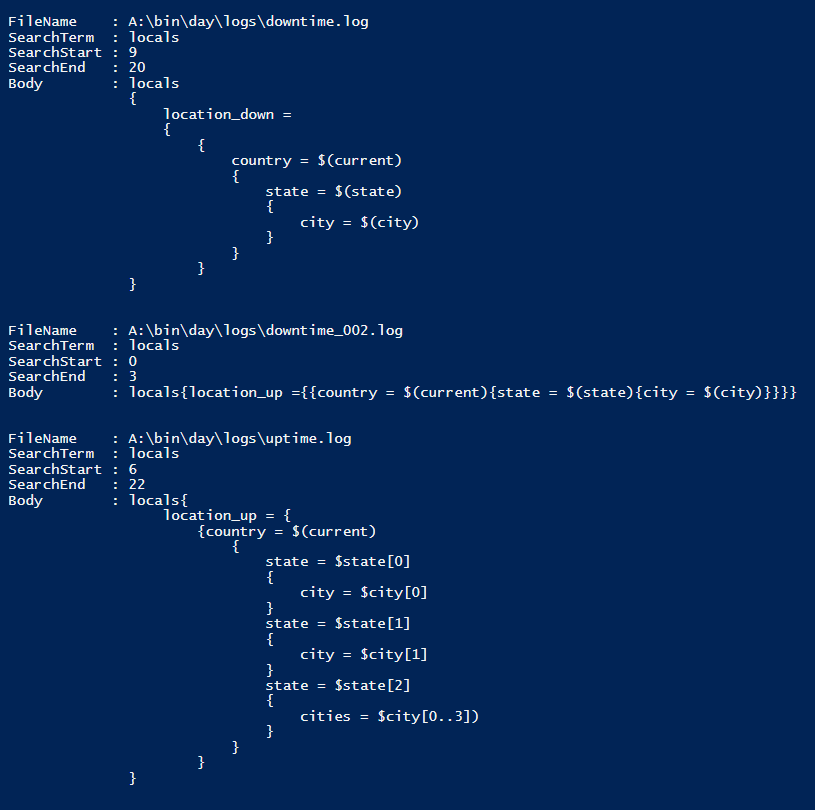
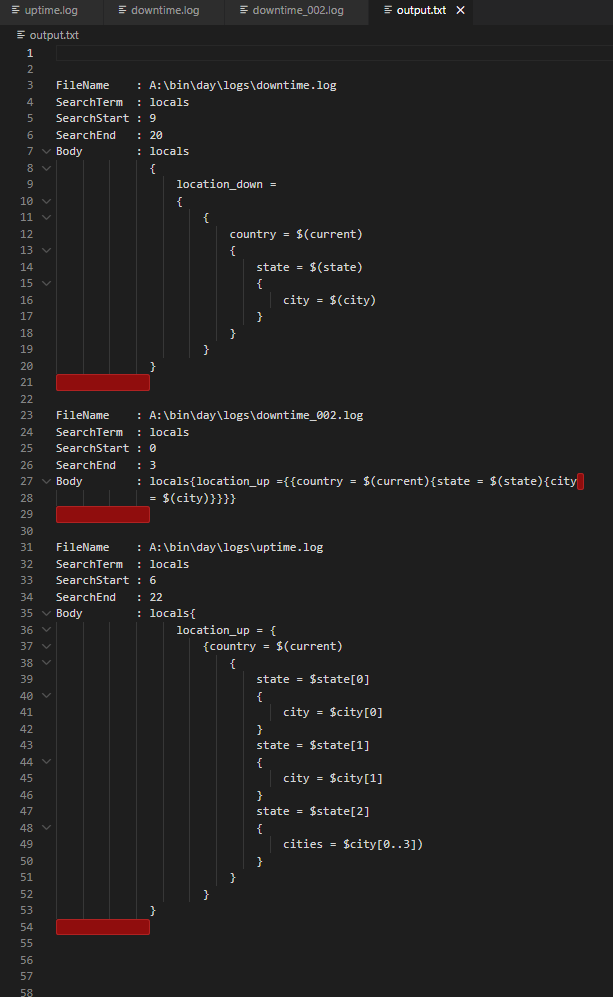
Step 4 - Output the filename, textsearched for (in this case “locals”) and the text found between the braces.
Yeah definitely try the code out, it should be very close to what you’re after. Also, don’t want to nitpick but again you say “output the text found between the braces” and then in your example output show the braces in addition.
@vegarjb - this is a bit rough, but it’s gotten late after a long day of restoring a guest bathroom. If it meets your original post, it might provide a framework to continue development.
Process
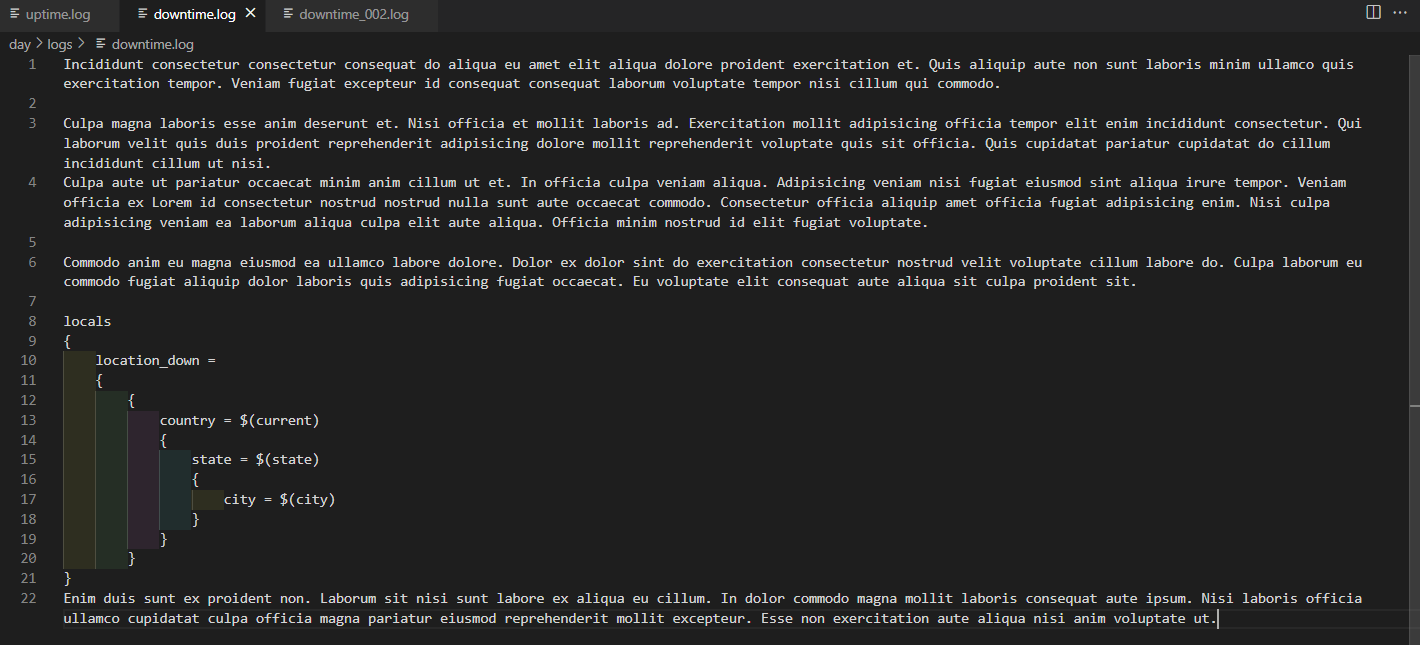
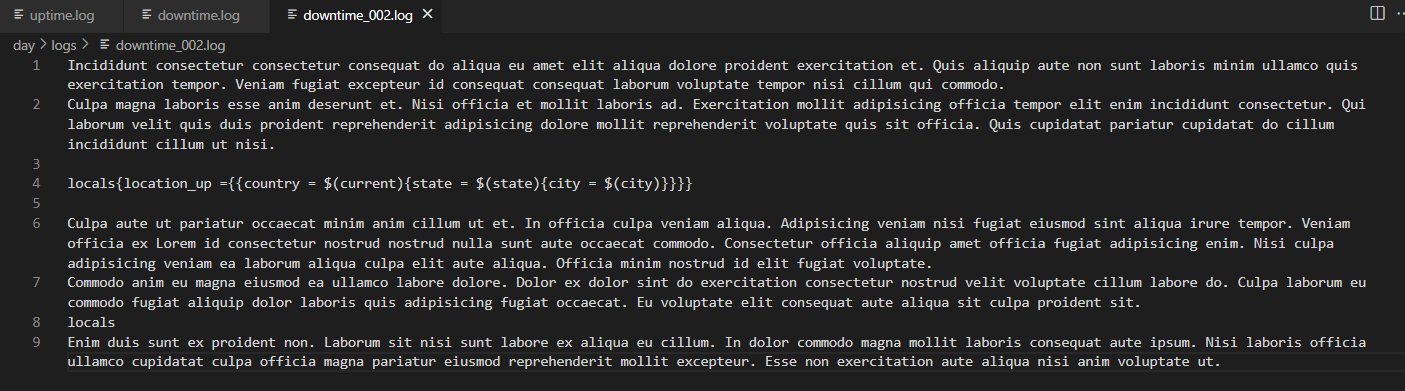
I created three source files and set each with their own locals array. This was to test the regex against different patterns and false positives. I recommend establishing standards for your procedure and streamlining the process where you may.
Notes
This is demo code. It is a Proof of Concept and does not represent stable production-quality scripting.
The one-liner locals array has a SearchStart of 0. This needs to be handled to prevent misreporting.

 The structure of the search pattern you’re looking for seems pretty regular. Sounds for me like “find the word “local” and the following 9 lines” …