Hi! I am still pretty much of a PowerShell novice, but with a lot of googling and testing, I can generally stumble my way through creating a script. I’ve run into an issue that should be simple, even for me, but that has got me stumped.
All I want to do is export the members of an AD group to a csv file. I found the following scripts on the Internet. These all produce the same list of 16 members with no errors encountered by the script. The problem is that there are 52 members in the AD group. I’m wondering if there is a problem with the AD group itself. Why would all three of these scripts return only a portion of the members in the group?
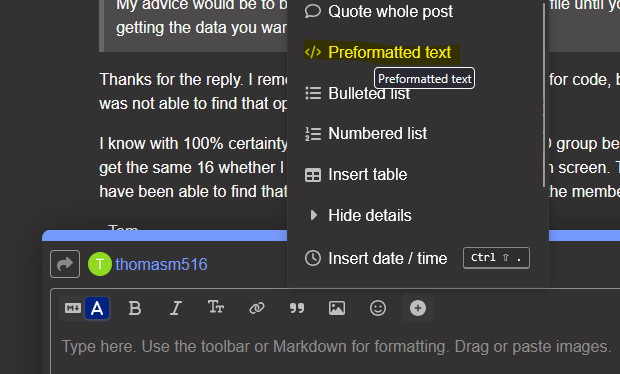
edit: hint, it’s usually hiding behind the plus symbol for “more options”. Or you can type 3x backticks and it will automatically start a code block. Then use the pulldown menu to select which language for syntax highlighting.
Do you know there’s 52 members in the group from looking at Active Directory Users and Computers?
My advice would be to break this down and stop exporting to file until you’re sure you’re getting the data you want.
Run
Get-ADGroupMember -Identity "County Treasurers"
and look at the output. Is it 16 people, or 52? If it’s 16, who’s missing. Is there anything special about them? Are they from another domain, or are they only a member because they’re a member of a group that’s a member of “County Treasurers”? (horrible sentence, sorry)
After you do a Get-ADGroup with “-Properties *”, have a look at the “members” property. It’s a multi-valued property that holds the distinguished names of the groups’ members. Are there 16 or 52 DN’s in the list? Are all of the members in the same AD Domain?
Out of curiosity, how do you know there are 52 members?
Have you tried running these in "elevated” powershell? (run as administrator)? Usually when I see some objects when I expect more it’s in an unelevated powershell console.
Thanks for the reply. I remembered about the preformatted text for code, but for some reason was not able to find that option.
I know with 100% certainty that there are 52 members in the AD group because I counted them. I get the same 16 whether I export to a csv or just list them out on screen. There is nothing that I have been able to find that sets those 16 apart from the rest of the members in the group.
Thanks for the suggestion. I had not thought about that. Tried it just now and still getting just 16. I usually run the ISE just because I find it easier for developing longer scripts. However, I just tried PowerShell 7 (x64) with admin credentials and got the same result–just 16 listed out.
plus button, then preformatted text. Or type three backtick characters on a line and it will automatically start a code block.
You said you counted them. Counted them where? Both me and @RichMath have the same question. Are you in ADUC counting them? Are they all in the top level, or is there a chance some of the members are nested in to groups that are members of the parent group?
I ask because I haven’t ran across a scenario where members don’t show up in PowerShell. Even our groups that have members from other domains still list all of the members.
Get-ADGroup -Identity "County Treasurers" -Properties members | Select-Object -ExpandProperty members | Measure-Object
Hi! Thanks for the reply! I did not know that before.
I just tried to do as you suggest, but the Members field is truncated after 3 DNs in the results, so I can’t say how many there are. I am trying to figure out how to expand that out so that it will list the entire contents of that property.
As for how I know there are 52 members, I counted them in AD. The group in question is maintained by another department and I don’t have the necessary permissions to modify the group, but I can see the group and view it’s membership. The reason that I want to export the group membership is that I can’t really get what I need in a user-friendly way by working directly with the group in AD.
Funny, I didn’t see this until I had gotten to the same command myself. When I run the first command the count is 52. When I run the second command that you posted, I get the full list of 52 members.
I counted them in ADUC. It’s just a list of users. There are no nested groups. All the members are in the same domain, but there are a few different OUs. However, there is no pattern of OUs to the 16 members that were returned by my original command or the 36 that were not. I cannot find any common thread between the 16 that I was seeing previously, or the 36 that I was not seeing.
that’s a new one for me.
Maybe for now you can get away with Get-AdGroup.
Get-ADGroup -Identity "County Treasurers" -Properties members | Select-Object -ExpandProperty members | Get-AdUser | Export-Csv c:\scripts\output\members.csv -NoTypeInformation
We use the previous Get-ADGroup command to get the Distinguished Name of all 52 members, then pipe those DNs to Get-AdUser to get more info from AD about each user, then pipe those to Export-Csv